No Products in the Cart



Troubleshooting Error Code SC681 on Ricoh MP C4504 and MPC6004 Copiers
Are you encountering the SC681 error code on your Ricoh MP C4504 or MPC6004 copier? Copier Liquidation Center has you covered with a comprehensive troubleshooting guide. Learn the common causes of this error, step-by-step instructions for resolving it, and tips to prevent future issues. Keep your office running smoothly and efficiently with our expert advice. For more details, visit Troubleshooting Error Code SC681 on Ricoh MP C4504 and MPC6004 Copiers.
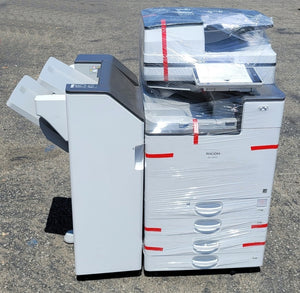
Are you looking for the best-used copiers for small businesses? Look no further than Copier Liquidation Center. With over 30 years of experience, we offer affordable, high-quality solutions backed by expert service and support. Browse our copiers today and find out how we can help enhance your office's efficiency and productivity.
READ MORERicoh Firmware Update Tools Error: Failed at TLS communication.
How to Reset Ricoh Error Codes SC542, SC547, SC546, and SC548 in Older Ricoh Copiers
Struggling with error codes SC542, SC547, SC546, or SC548 on your older Ricoh copiers? Our latest guide at Copier Liquidation Center provides detailed steps to reset these common error codes. Learn the causes, solutions, and preventive measures to keep your Ricoh copiers running smoothly. Ensure minimal downtime and maintain peak performance with our expert troubleshooting advice. For a full guide, visit How to Reset Ricoh Error Codes SC542, SC547, SC546, and SC548 in Older Ricoh Copiers.
Sign up for our e-mail and be the first who know our special offers! Furthermore, we will give a 15% discount on the next order after you sign up.
